
The library, batteries included
For “I want the pretty background on my page” — the fastest honest path, defaults doing the work.
Or skip the plumbing. The library ships batteries included — verified presets, a looping camera tour, WebGL trails with bloom, resize and context-loss handling — all on by default. The first stop is two lines of code; the stops after put the same call to work on real sites, including a near-replica of the zensical.org hero that inspired the library.
1. Two lines — examples/11_Hello/
What you’ll have: the whole ambient scene — preset, look, camera tour, resize and context-loss handling — from one call.
Needs: npm i three @krusenstiern/aizawa-attractor (three is a peer —
you install it) — straight from
npmjs.
To run it from scratch:
mkdir hello && cd hello
npm init -y
npm install vite three @krusenstiern/aizawa-attractor
Write index.html (a canvas plus the module script tag) and this
main.js:
examples/11_Hello/main.js// The whole ambient scene — verified preset, site look, looping
// camera tour, resize and context-loss handling — in one call.
// Every option defaults; nothing else is required.
import { startAttractor } from '@krusenstiern/aizawa-attractor/three';
startAttractor(document.querySelector('canvas'));examples/11_Hello/index.html<!doctype html>
<html lang="en">
<head>
<meta charset="utf-8" />
<meta name="viewport" content="width=device-width, initial-scale=1" />
<title>Aizawa — hello</title>
<style>
html,
body {
margin: 0;
height: 100%;
background: #0a0a12;
}
canvas {
position: fixed;
inset: 0;
width: 100%;
height: 100%;
}
.back-link {
position: fixed;
top: 0.8rem;
left: 0.9rem;
color: #7982a9;
font:
0.8rem system-ui,
sans-serif;
text-decoration: none;
}
.back-link:hover {
color: #59d4ff;
}
</style>
</head>
<body>
<canvas></canvas>
<a class="back-link" href="../..">← back to the tutorial</a>
<script type="module" src="main.js"></script>
</body>
</html>then:
npx vite         # develop on http://localhost:5173
npx vite build   # dist/ → any static host
What just happened: startAttractor(canvas) replaced the entire
pillar-0 effort. Every option defaults; nothing else is required.
Next: no bundler at all.
2. No bundler at all — examples/12_Importmap/
What you’ll have: the same two lines running on any static server — the browser resolves the imports itself.
Needs: npm i three @krusenstiern/aizawa-attractor — only to stage
vendor/; the page itself has no build step.
examples/12_Importmap/index.html<!doctype html>
<html lang="en">
<head>
<meta charset="utf-8" />
<meta name="viewport" content="width=device-width, initial-scale=1" />
<title>Aizawa — importmap, no bundler</title>
<style>
html,
body {
margin: 0;
height: 100%;
background: #0a0a12;
}
canvas {
position: fixed;
inset: 0;
width: 100%;
height: 100%;
}
.back-link {
position: fixed;
top: 0.8rem;
left: 0.9rem;
color: #7982a9;
font:
0.8rem system-ui,
sans-serif;
text-decoration: none;
}
.back-link:hover {
color: #59d4ff;
}
</style>
<!-- The browser resolves the bare specifiers itself — vendor/ is
generated by scripts/vendor-imports.mjs from node_modules.
The lib ships a single-file ESM build (aizawa.mjs, core
inlined, three/* external), so three entries suffice. -->
<script type="importmap">
{
"imports": {
"@krusenstiern/aizawa-attractor/three": "./vendor/aizawa.mjs",
"three": "./vendor/three/build/three.module.js",
"three/addons/": "./vendor/three/examples/jsm/"
}
}
</script>
</head>
<body>
<canvas></canvas>
<a class="back-link" href="../..">← back to the tutorial</a>
<script type="module" src="main.js"></script>
</body>
</html>examples/12_Importmap/main.js// Byte-identical to 11_Hello — only *how* the specifier resolves
// differs: the importmap in index.html maps the /three subpath to
// the shipped single-file bundle, vendor/aizawa.mjs.
import { startAttractor } from '@krusenstiern/aizawa-attractor/three';
startAttractor(document.querySelector('canvas'));What just happened: an importmap maps the bare specifiers to files on
the server. The library ships aizawa.mjs for exactly this — a
single-file ESM build with core inlined and only
three/three/addons/* left external (aizawa-core.mjs is the
standalone pure layer). vendor/ is that one file plus three’s module
build and the addons the renderer pulls (OrbitControls, bloom passes,
shaders), staged from node_modules by npm run vendor — regenerate
it the same way.
Next: a real site’s look.
3. A real site’s look — examples/13_Nikolai/
What you’ll have: the nikolai.krusenstiern.de background, stated as options — the theming surface made visible.
Needs: npm i three @krusenstiern/aizawa-attractor.
examples/13_Nikolai/main.jsimport { startAttractor } from '@krusenstiern/aizawa-attractor/three';
// The nikolai.krusenstiern.de background, stated explicitly. Every
// value here is also the library's default — it was ported from that
// site — so this page is the theming surface made visible: change any
// field and watch the look move.
startAttractor(document.querySelector('canvas'), {
look: {
colors: {
background: 0x070a12, // near-black, faintly blue
trailFrom: 0x59d4ff, // ice cyan
trailTo: 0xc77dff, // violet
},
fog: { near: 1, far: 6 },
bloom: { strength: 1, radius: 0.25, threshold: 0 },
opacityRange: [0.3, 0.7],
},
camera: { fov: 90, near: 1e-4, far: 1e3, z: 1 },
orbit: { rotateSpeed: 1.5, minDistance: 0, maxDistance: 2000 },
});examples/13_Nikolai/index.html<!doctype html>
<html lang="en">
<head>
<meta charset="utf-8" />
<meta name="viewport" content="width=device-width, initial-scale=1" />
<title>Aizawa — nikolai.de look</title>
<style>
html,
body {
margin: 0;
height: 100%;
background: #070a12;
}
canvas {
position: fixed;
inset: 0;
width: 100%;
height: 100%;
}
.back-link {
position: fixed;
top: 0.8rem;
left: 0.9rem;
color: #7982a9;
font:
0.8rem system-ui,
sans-serif;
text-decoration: none;
}
.back-link:hover {
color: #59d4ff;
}
</style>
</head>
<body>
<canvas></canvas>
<a class="back-link" href="../..">← back to the tutorial</a>
<script type="module" src="main.js"></script>
</body>
</html>What just happened: every value here is also the library’s default —
the renderer was ported from that site — so this page exists purely to
show the surface: look (colours, fog, bloom, opacity range),
camera and orbit. Change any field and watch the look move.
Next: replicating the source.
4. Replicating the source — examples/14_Zensical/
What you’ll have: the zensical.org hero — the site this library was ported from — near-replicated through the options surface.
Needs: npm i three @krusenstiern/aizawa-attractor.
examples/14_Zensical/main.jsimport {
ambientOptionsForTour,
startAttractor,
ZENSICAL_TOUR,
} from '@krusenstiern/aizawa-attractor/three';
// A near-replica of the zensical.org hero — the site this library was
// ported from. ZENSICAL_TOUR ships the replica as a document: the
// 'zensical' preset (the exact ODE set — epsilon folded to its
// effective value: upstream shows 0.25 but divides by 4 inside the
// derivative), upstream's observed pacing over the ambient keyframes
// (upstream ships no keyframe data of its own — the resemblance is
// pacing, not framing), 100 trails and cutBlendTicks 240. Upstream
// eases each shot to near-zero speed at the cuts; a cut blend
// approximates that feel better than the literal hard cut, since the
// in-shot tween here is linear.
//
// ambientOptionsForTour derives the ambient options from the document
// — run-shape and shots, looping, fresh random run per visit. The
// playback counterpart optionsForTour is the movie path (fixed seed,
// rescue off, non-looping, no quality ladder) used for exports.
startAttractor(document.querySelector('canvas'), {
...ambientOptionsForTour(ZENSICAL_TOUR),
look: {
colors: {
background: 0x0b0c0f, // zensical dark surface
trailFrom: 0xffc120, // amber
trailTo: 0xff8a8c, // salmon
},
toneMapping: 'aces',
toneMappingExposure: 0.75,
},
// Upstream the tour owns the camera outright — grabs have no
// lasting effect — so the ambient canvas stays non-interactive.
orbit: { takeOverOnGrab: false },
});examples/14_Zensical/index.html<!doctype html>
<html lang="en">
<head>
<meta charset="utf-8" />
<meta name="viewport" content="width=device-width, initial-scale=1" />
<title>Aizawa — zensical.org replica</title>
<style>
html,
body {
margin: 0;
height: 100%;
background: #0b0c0f;
}
canvas {
position: fixed;
inset: 0;
width: 100%;
height: 100%;
}
.back-link {
position: fixed;
top: 0.8rem;
left: 0.9rem;
color: #7982a9;
font:
0.8rem system-ui,
sans-serif;
text-decoration: none;
}
.back-link:hover {
color: #59d4ff;
}
</style>
</head>
<body>
<canvas></canvas>
<a class="back-link" href="../..">← back to the tutorial</a>
<script type="module" src="main.js"></script>
</body>
</html>What just happened: ZENSICAL_TOUR ships the replica as a document —
the 'zensical' preset (the exact ODE set — epsilon folded to its
effective value: upstream shows 0.25 but divides by 4 inside the
derivative), upstream’s observed pacing over the ambient keyframes, 100
trails, the 240-tick cut blend — and ambientOptionsForTour turns it
into ambient options. The amber/salmon brand range and ACES tone
mapping stay app-side look values; orbit.takeOverOnGrab: false
keeps the canvas non-interactive, like upstream. The one residual the
options can’t express — per-shot easing — is noted in the file. (The
port is used with permission.)
Next: a real ambient page.
5. Capstone: a real ambient page — examples/15_Ambient/
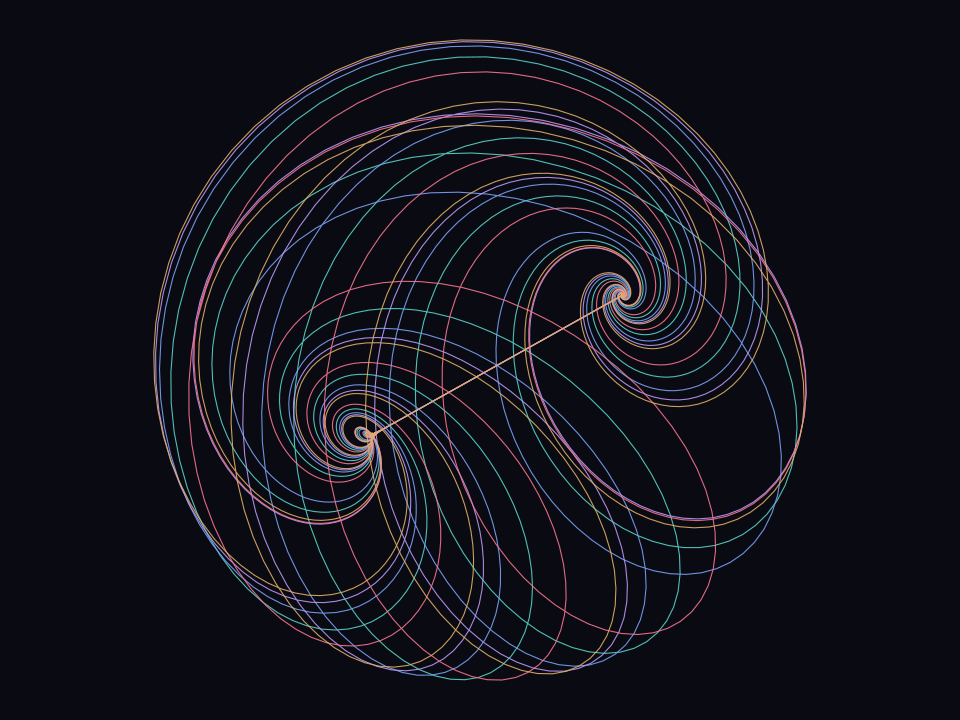
What you’ll have: the production-real page — the same single call plus the policy an ambient page owes its visitors, all app-side glue, none of it the library’s business.
Needs: npm i three @krusenstiern/aizawa-attractor.
examples/15_Ambient/index.html<!doctype html>
<html lang="en">
<head>
<meta charset="utf-8" />
<meta name="viewport" content="width=device-width, initial-scale=1" />
<!-- script-src stays 'self' (contract invariant 6). style-src allows
inline because vite dev injects <style> tags; production output
is a linked stylesheet only. ws: is the vite dev HMR socket. -->
<meta
http-equiv="Content-Security-Policy"
content="default-src 'self'; script-src 'self'; worker-src 'self'; style-src 'self' 'unsafe-inline'; img-src 'self' data:; connect-src 'self' ws:; base-uri 'none'"
/>
<meta name="color-scheme" content="dark" />
<title>Aizawa attractor</title>
</head>
<body>
<canvas id="scene" aria-label="Animated Aizawa attractor"></canvas>
<a class="back-link" href="../..">← back to the tutorial</a>
<p id="notice" role="status" aria-live="polite"></p>
<details id="panel" hidden open>
<summary>Playground</summary>
<!-- Controls are generated from the library's parameter tables —
there is no slider markup here. -->
</details>
<figure id="fallback" hidden>
<img
src="poster.svg"
alt="The Aizawa attractor rendered as a static image"
/>
<figcaption>
Interactive rendering needs WebGL2, which this browser does not provide
— showing a still instead.
</figcaption>
</figure>
<script type="module" src="src/main.ts"></script>
</body>
</html>examples/15_Ambient/src/main.ts#boot-path// verbatim:start boot-path
const canvas = must(
document.querySelector<HTMLCanvasElement>('#scene'),
'canvas#scene',
);
const notice = createNotifier(
must(document.querySelector<HTMLElement>('#notice'), 'p#notice'),
);
const fallback = must(
document.querySelector<HTMLElement>('#fallback'),
'figure#fallback',
);
const motion = matchMedia('(prefers-reduced-motion: reduce)');
function showFallback(): void {
canvas.hidden = true;
fallback.hidden = false;
}
const onContextChange = (lost: boolean): void => {
notice.show(contextNotice(lost));
};
async function exportFrame(renderer: AttractorRenderer): Promise<void> {
const blob = await renderer.captureFrame();
if (blob === null) {
notice.show('Frame capture failed');
return;
}
downloadBlob(blob, 'aizawa.png');
}
// The probe runs before the renderer chunk is even requested — the
// /probe entry carries no three.js, so 'unavailable' costs the poster
// and nothing else. 'capable' is a plausibility verdict, not a
// guarantee: startAttractor can still return null, and a failed chunk
// fetch lands on the same fallback.
if (!loadsRenderer(probeWebGL2())) {
showFallback();
} else {
try {
const three = await import('@krusenstiern/aizawa-attractor/three');
// Restore: a stored RendererState resumes the scene where it left
// off; the fail-closed decode turns corrupt state into a fresh
// start. Nothing else reads storage at boot.
const state = readStoredState(localStorage, {
decode: three.deserializeRendererState,
});
// One boot path for ambient and still: `autoplay: false` returns
// the handle stopped — resize and context wiring already in
// place — and the motion gate decides whether the RAF loop ever
// runs.
const handle = three.startAttractor(canvas, {
onContextChange,
autoplay: false,
...(state === null ? {} : { state }),
});
if (handle === null) {
showFallback();
} else {
// Motion gate: page hidden or reduced motion → halt the RAF
// loop.
const gate = (): void => {
if (document.hidden || motion.matches) handle.stop();
else handle.start();
};
document.addEventListener('visibilitychange', gate);
motion.addEventListener('change', gate);
const panel = createPanel(
must(document.querySelector<HTMLElement>('#panel'), 'details#panel'),
{ handle, notice, three, onContextChange },
);
// Share fragments boot documents: `#p=` applies a preset,
// `#t=` opens it in the tour player; a failed decode is a
// notice, never a thrown boot.
const applyShare = (): void => {
const doc = parseShareHash(location.hash);
if (doc === 'invalid') {
notice.show('could not read the shared document');
} else if (doc?.kind === 'preset') {
panel.applyPreset(doc.preset);
notice.show(`shared preset “${doc.preset.name}” applied`);
} else if (doc?.kind === 'tour') {
panel.openTour(doc.tour);
}
};
applyShare();
window.addEventListener('hashchange', applyShare);
// Scene state persists best-effort: every 15 s while the page
// is open, and flushed when it hides or unloads.
const saver = createStateSaver(localStorage, () =>
handle.renderer.serializeState(),
);
saver.start();
window.addEventListener('pagehide', () => {
saver.flush();
});
document.addEventListener('visibilitychange', () => {
if (document.hidden) saver.flush();
});
document.addEventListener('keydown', (event) => {
const shortcut = shortcutFor(event.key, {
chord: event.metaKey || event.ctrlKey || event.altKey,
repeat: event.repeat,
editable: editableTarget(event.target),
});
if (shortcut === 'toggle-run') {
if (handle.running) handle.stop();
else if (!motion.matches) handle.start();
} else if (shortcut === 'export-frame') {
void exportFrame(handle.renderer);
}
});
gate();
if (bootMode(motion.matches) === 'still') {
// Reduced motion: one developed frame, no loop. Lifting the
// preference mid-session promotes it to ambient via the gate.
handle.renderer.renderStill();
}
}
} catch {
showFallback();
}
}
// verbatim:end boot-pathWhat just happened: probeWebGL2() from /probe decides eagerly
whether the renderer chunk is worth loading — 'unavailable' shows the
bundled poster without three.js ever being fetched. One boot path
(autoplay: false, renderStill() for reduced motion), a
visibility/motion gate, context-loss notices, P pause and E
PNG-export shortcuts. The collapsible playground is the whole editing
surface: presets (verified + your saved ones), the screen-gated α–ζ
editor, mutate/random picks, trail-shape and look controls, camera/run
controls with honest stats, preset save through a verify worker, scene
persistence, #p=/#t= share links, and tour authoring with a player
view and .webm export.
Two rules worth carrying to your own project:
- Subpaths only.
/threefor the app (re-exports all of core),/corefor pure logic — zero dependencies, no DOM, which is what a Web Worker or a build-time script wants — and/probefor the eager capability gate when the renderer loads lazily. Neverdist/internals. threeis your dependency. A peer (>=0.159 <0.188— check the published range), so/threeconsumers install it explicitly;/core-only consumers never need it.
Next: going deeper — the API surface.
Everything so far is one function call with options. If the defaults are where you wanted to be — you’re done, and happily so. If you want to compose the pieces yourself, the next way in opens the library up.